uproj
Turn raw data into decisions — on your own infrastructure, in days not quarters.
6Grain · Rwanda
You have the data — using it is the hard part
Scattered
Every provider speaks a different API, format and login.
Heavy
Terabytes per area. Downloading to a laptop is a non-starter.
One-off scripts
Analysts' notebooks never become a repeatable, scheduled pipeline.
Sovereignty
Cloud SaaS means your data and results leave the country.
Glue work
80% of every project is infrastructure — catalog, tiling, storage, access.
Slow
Months from 'we have an idea' to 'it runs every night'.
One platform owns the boring 80%, so your analysts ship the valuable 20%.
A catalog, a runtime, and an API — self-hosted
Catalog
Every input & result as a catalog item — one searchable index.
Runtime
Upload a script in Python, R or Java → it runs sandboxed, on a schedule, scalably.
API + UI
Open standards (STAC, OGC), map tiles, downloads, a web UI.
Runs on your own servers. Your data never leaves.
The whole platform, one picture
An analyst writes a script — in Python, R or Java. The platform makes it a scheduled, catalogued service — no DevOps.
What it does
One pipeline, end to end
Connect any data source
Public archives
Open satellite & raster archives — pulled in on a schedule.
Commercial providers
Vendor APIs and feeds, behind your own credentials.
Your own data
Drone, aerial, vector boundaries, anything with a connector.
A connector is just Python — new sources are a script, not a project.
The catalog — everything in one place
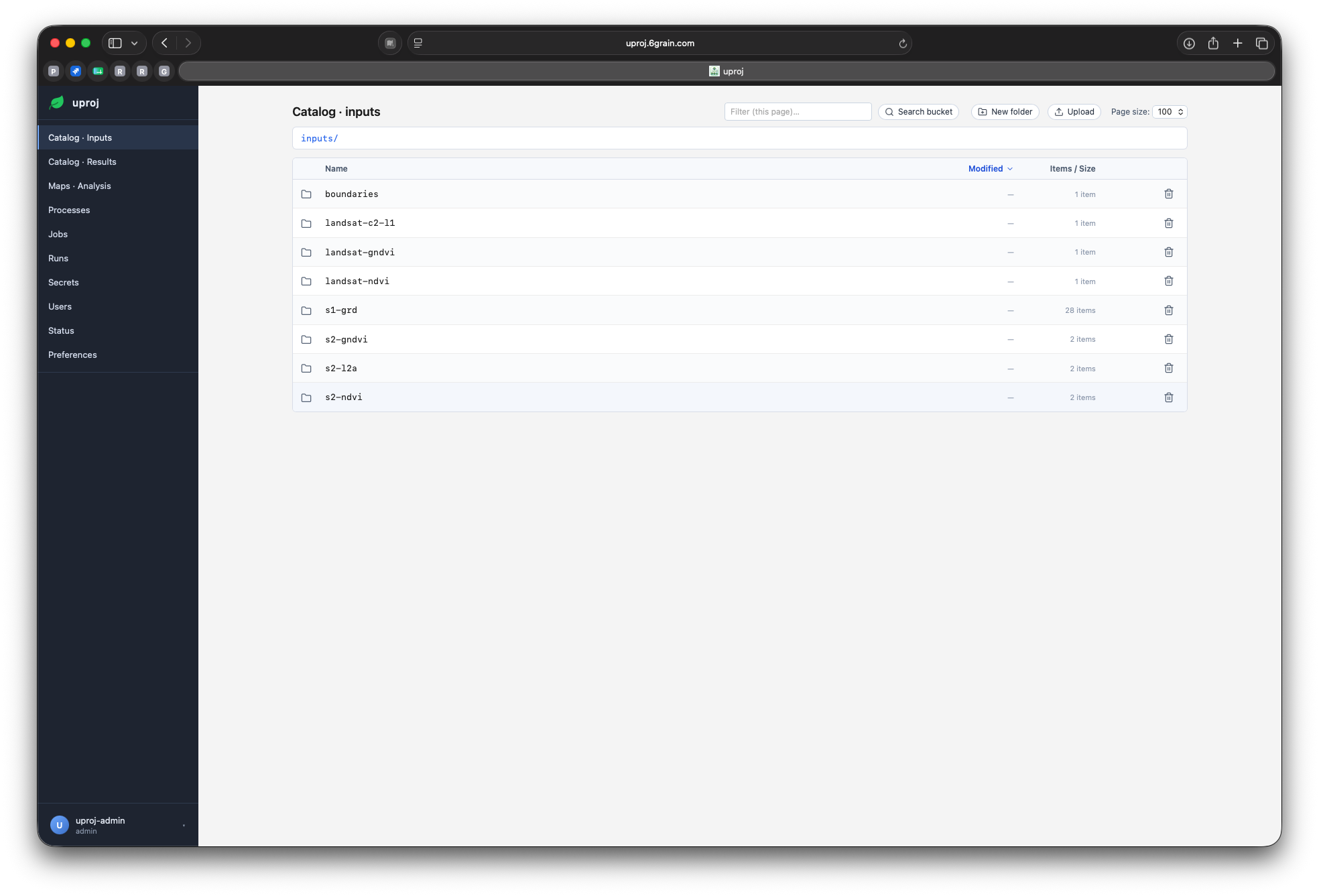
Three concepts, that's the whole model
Process
An uploaded, versioned Python project. Immutable — addressed by version.
Job
A saved config: which process, which params, an optional schedule.
Run
One execution — state, logs, and the result it produced.
Opens straight in QGIS
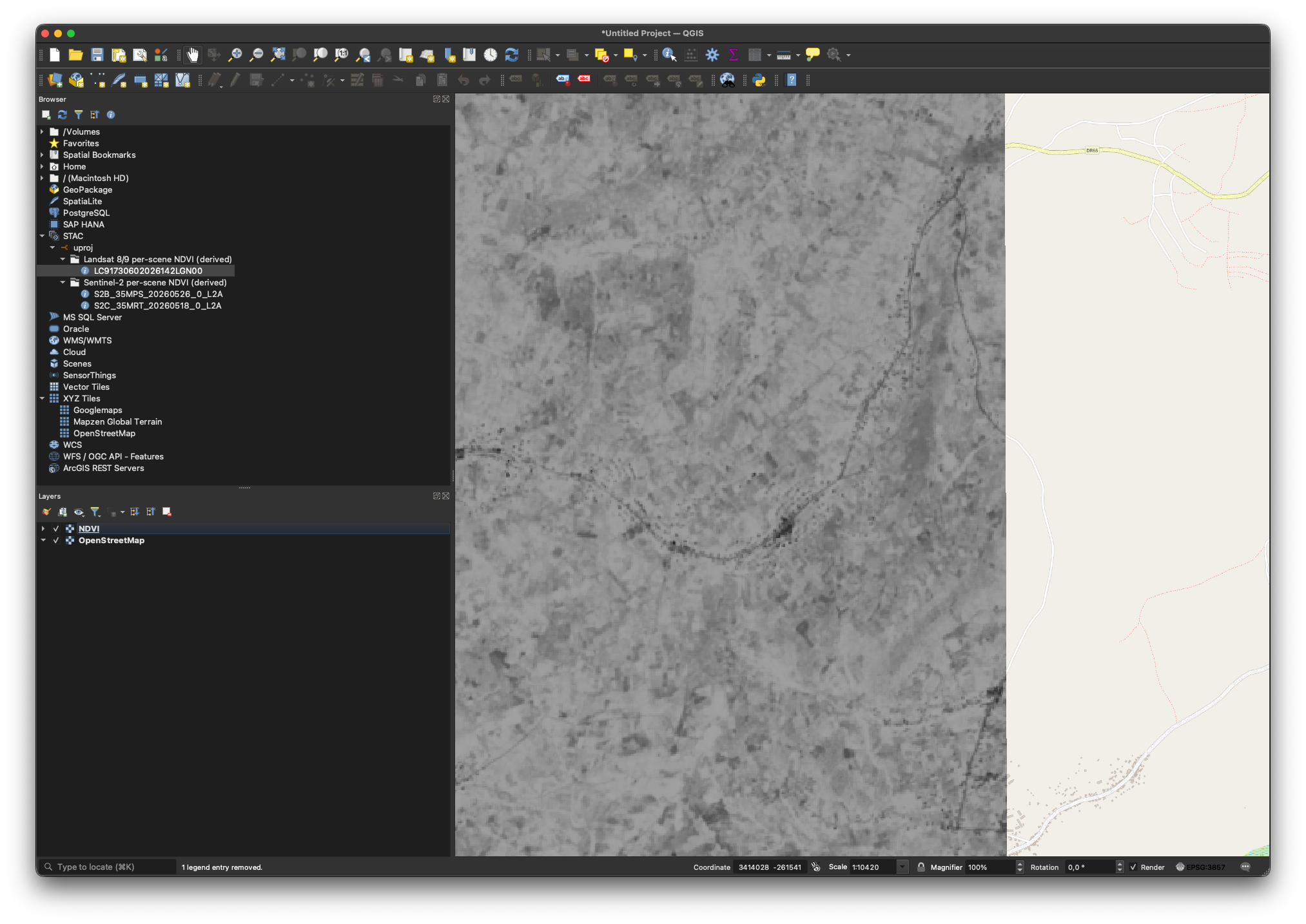
Data & products, out of the box
Four sources, mirrored on a schedule
Sentinel-2 L2A
Optical surface reflectance from Element 84. Cloud-masked via SCL, clipped to the country, stored as COG.
Landsat 8/9 C2 L1
USGS OLI/TIRS scenes. Cloud, shadow & cirrus dropped via QA_PIXEL, clipped to the country.
Sentinel-1 γ⁰ RTC
Terrain-corrected radar from Planetary Computer. VV/VH, linear float32 + dB for display, 10 m, EPSG:32735.
Admin boundaries
Every ADM level from geoBoundaries (CC BY 4.0) as vector — the country clip every other source uses.
All four are stock ingest scripts — same contract as anything you'd write yourself.
Optical indices — one toggle each
Vegetation
NDVI, EVI, MSAVI2, GNDVI — and NDRE on Sentinel-2's red-edge band.
Moisture & water
NDMI for canopy moisture; NDWI & MNDWI to map open water.
Burn & built-up
NBR for burn severity, NDBI for built surfaces.
Each index is one band, one COG (int16 ×10000). Sentinel-2 and Landsat share the set; only Sentinel-2 has the red-edge for NDRE.
Radar that sees through cloud
Sentinel-1 polarimetry
Four dual-pol indices off the linear γ⁰: PolNDVI, DpRSI, RVI and the dual-pol RVI (Mandal 2020).
All-weather
Radar ignores cloud and works day or night — coverage where optical goes blind.
Rolling NDVI composite
A trailing-window percentile mosaic of Sentinel-2 NDVI (p80 = the greenest clear observation), clipped to the country.
Pair radar with optical for a gap-free signal; the composite gives one clean layer per day.
Architecture
Services behind one entry point
Each piece does one job well
Edge
One port, routes / · /api · catalog · tiles · auth · storage.
API
REST + OGC API Processes — submit work, read results.
Catalog
STAC over PostgreSQL — inputs and results, one index.
Storage
S3-compatible object store for every scene and result.
Tiles
On-the-fly map tiles straight from the stored rasters.
Identity
OIDC sign-in, API tokens, role-based access.
Open standards, not lock-in
STAC
The catalog speaks STAC — works with QGIS and the whole ecosystem.
OGC API
Processes & tiles follow OGC — any compliant client connects.
Plain formats
Cloud-optimized GeoTIFF, JSON, S3 — nothing proprietary.
Your data stays portable — you are never trapped in our format.
Runs where you need it
Containerized
The whole stack is containers — one command to bring it up.
Air-gappable
No required calls home; runs fully on a private network.
Your hardware
On the servers you already own, in your own data centre.
On-prem by design — sovereignty isn't an add-on, it's the default.
How a run works
From a click to a catalogued result
Every run is a sandbox
Locked-down
No privileges, non-root, capped CPU/RAM/processes, hard timeout.
Scoped access
Per-run credentials: read its inputs, write only its own output.
Network-isolated
Can't reach the database or auth; optional egress allow-list.
Hostile or buggy code can only affect its own run — nothing else.
Reliable by default
Scheduling
Cron per job; the scheduler admits runs and respects quotas.
Job chaining
A finished run fires the next — ingest → prepare → analyze, no external orchestrator.
No pile-ups
Single-active guard — a slow run never stacks on itself.
Full audit
Structured logs, per-run stats, state for every execution.
How analysts build scripts
The contract is tiny
Your Python
src/ with your code — any libraries you declare.
pyproject.toml
Standard dependencies. The platform builds the environment.
process.yaml
Declares parameters, types and defaults — the UI form is built from it.
entrypoint
One file to run. It reads params from the environment.
Zip it, upload it — that's a process. No Dockerfile, no infra.
Python, R or Java — same contract
Python
pyproject.toml + an entrypoint. The platform builds a venv with uv and runs it.
R
renv.lock + an .R entrypoint. renv::restore() rebuilds the exact library set, then runs.
Java
A Maven pom.xml. The platform runs mvn package and launches the built jar.
One run contract for every language: same parameters, same storage, same catalog. Pick the runtime in process.yaml — the platform mounts the right image and dependency cache.
Same result, three languages
One analytic, ported
The same NDVI demo ships in Python, R and Java — identical inputs, identical contract.
Identical output bundle
Each writes the same product: a COG, a PNG preview, a CSV of stats and a one-page PDF report.
One catalog item
All three publish back the same way — the catalog can't tell which language produced it.
Proof the runtime is a choice, not a constraint — your team writes in the language it already knows.
process.yaml — declare your parameters
id: s2-ndvi
title: Sentinel-2 NDVI
category: preparation
entrypoint: src/main.py
inputs:
  - name: bbox
    type: bbox
    default: "28.8,-2.8,30.9,-1.0"
  - name: start_date
    type: string
    default: ""
  - name: max_cloud_cover
    type: integer
default: 60- Types drive the UI form — bbox picker, date, number.
- Defaults mean a job works with zero config.
- category sets the default schedule & behaviour.
- No params plumbing — the platform passes them in.
Categories drive behaviour
ingest
Pulls external data into the catalog. Nightly by default.
preparation
Derives products from catalog data. Runs after ingest.
compute
Analytics that emit results — on demand or scheduled.
Pick a category; sensible scheduling and publishing come for free.
The SDK is just environment variables
import os, json

params = json.loads(os.environ["UPROJ_PARAMS"])
bbox = params["bbox"]

# read inputs straight from object storage via GDAL
src = "/vsis3/inputs/s2-l2a/.../red.tif"

# where to write + how to call back
out_dir = os.environ["UPROJ_OUTPUT_DIR"]
api     = os.environ["UPROJ_API_URL"]
token = os.environ["UPROJ_SERVICE_TOKEN"]- Params arrive as JSON — no parsing framework.
- Read rasters in place from storage — no download.
- A short-lived token authorizes catalog calls.
- Plain Python — use whatever libraries you like.
Walkthrough — an ingest script
# 1. search the source for new scenes in the window
scenes = search(bbox, since=window_start)

# 2. mirror each asset into the catalog's storage
for s in scenes:
    for asset in s.assets:
        copy_to_storage(asset.url, key=object_key(s, asset))

    # 3. register the scene as a catalog item
register_item(stac_item(s))- Search → mirror → register. That's ingest.
- Already-mirrored scenes are skipped — re-runs are cheap.
- Set a start date once to backfill; then it rolls forward nightly.
Walkthrough — a preprocessing script
# read bands in place, compute the index
red = read("/vsis3/inputs/s2-l2a/.../red.tif")
nir = read("/vsis3/inputs/s2-l2a/.../nir.tif")
ndvi = (nir - red) / (nir + red)

# write a cloud-optimized GeoTIFF + register it
write_cog(ndvi, f"{out_dir}/ndvi.tif")
register_item(stac_item("s2-ndvi", scene_id))- Reads parents from storage, writes a COG.
- Publishes back into the catalog as a new product.
- Same shape for any index, mask or composite you dream up.
Upload — it auto-versions
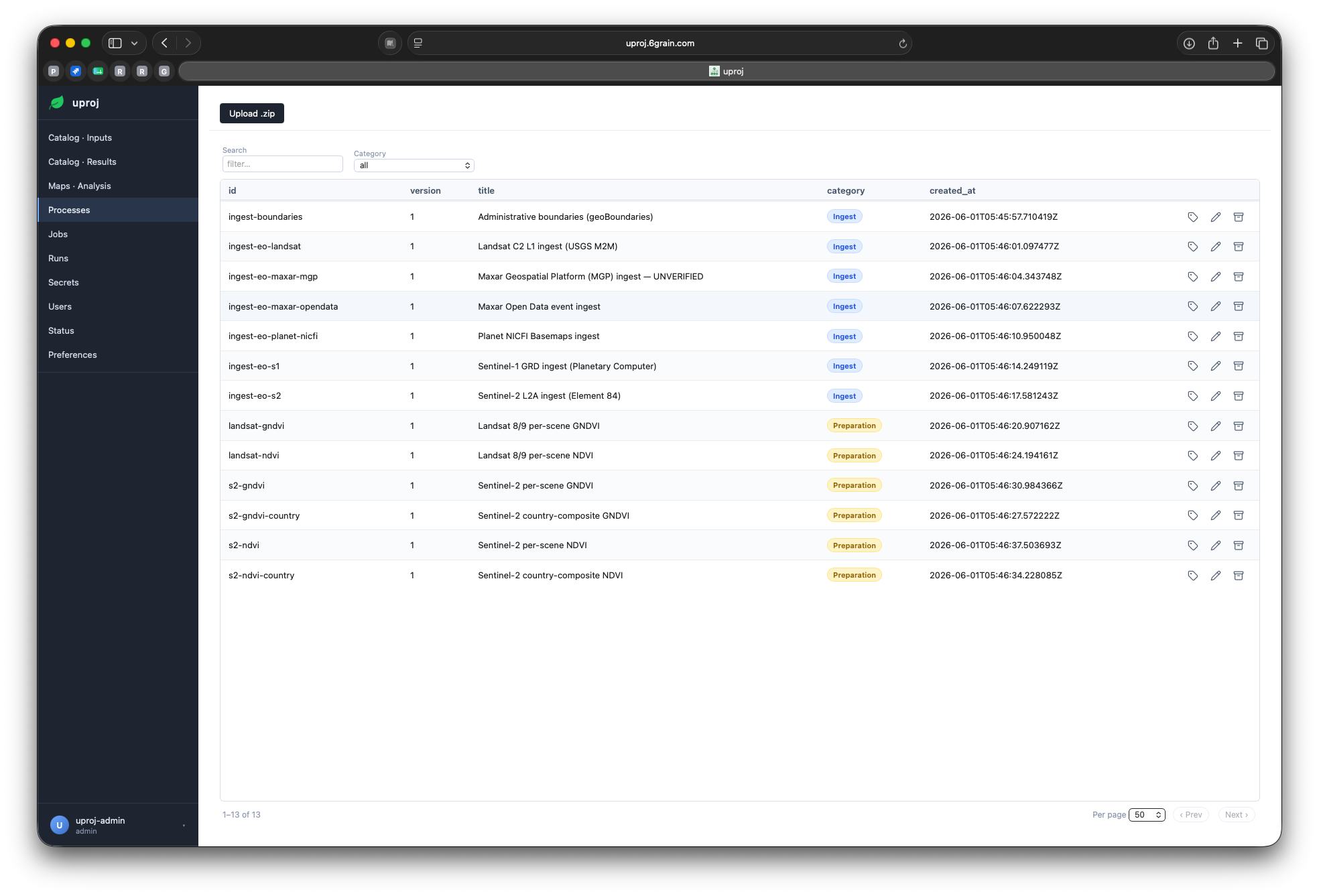
Wire a job, set a schedule
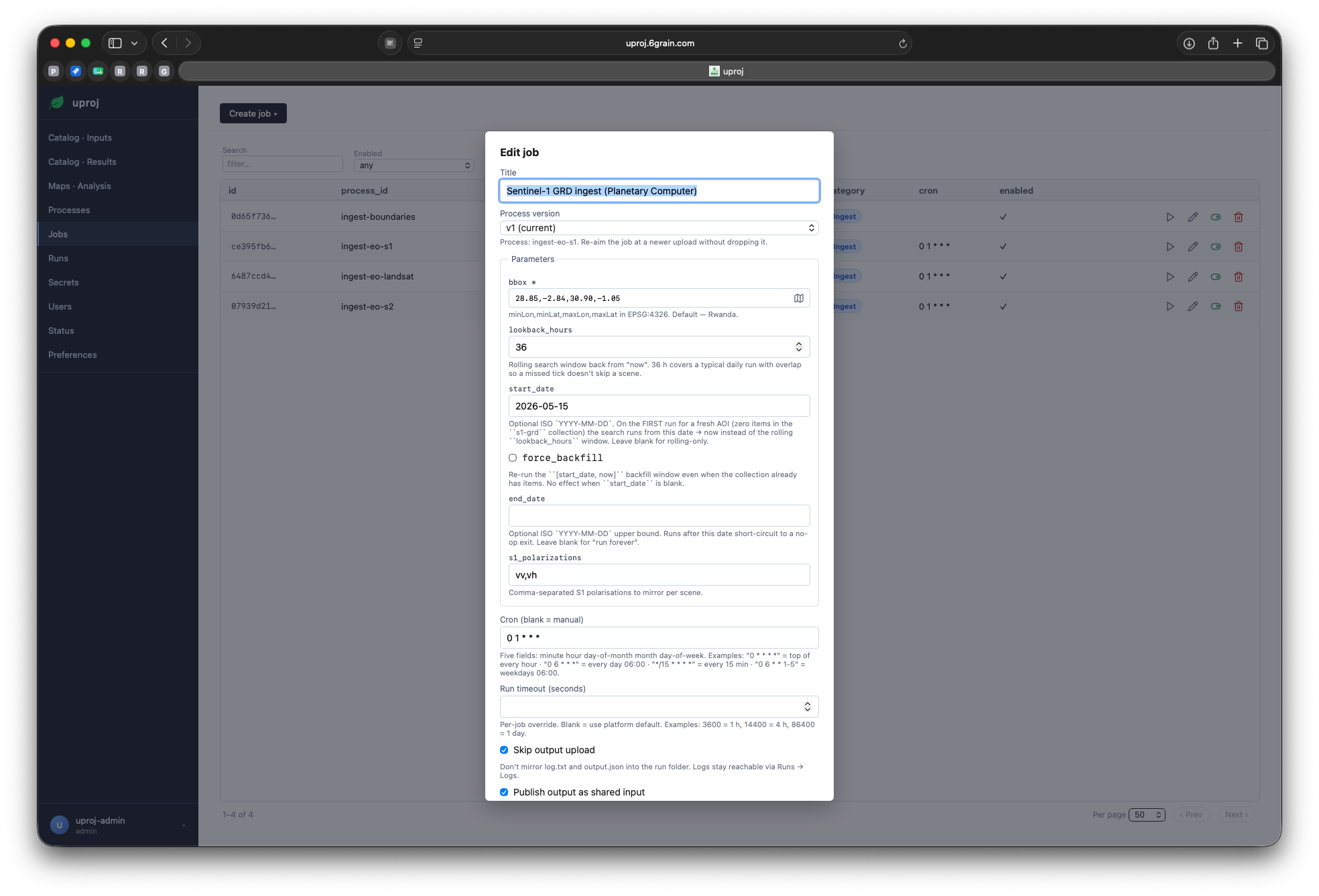
The platform, hands on
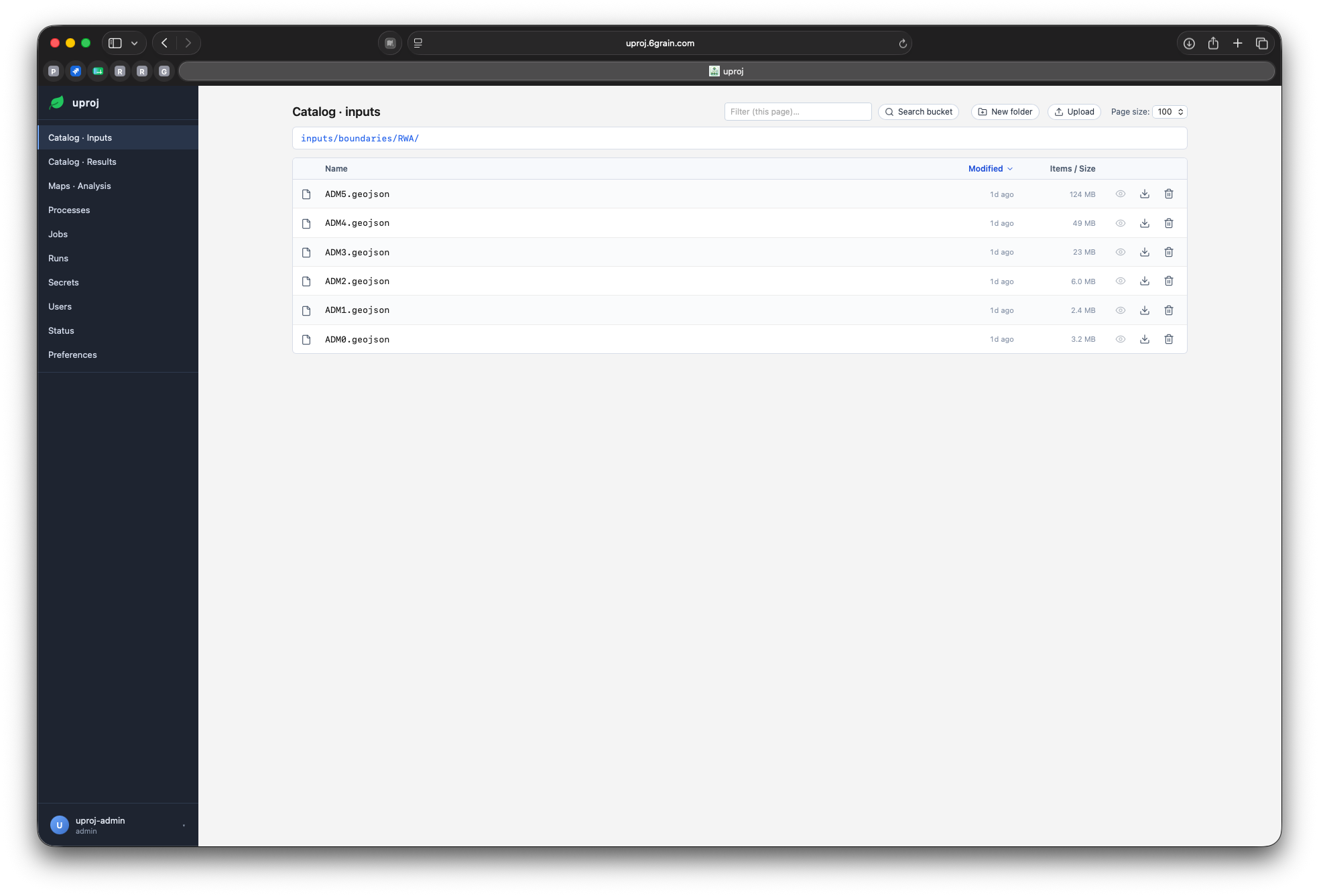
Catalog — browse every input
Map & analysis
Maps · Analysis — explore results in place
Layer stack
Overlay any number of catalog rasters; drag to reorder, set opacity and colormap per layer.
Legends in real units
Each layer's scale reads in physical units; class maps get a labelled chip per category.
Click to inspect
One click reports the pixel value across every visible layer at once.
Basemaps & search
OSM, satellite or topo underlays, with place search to jump anywhere.
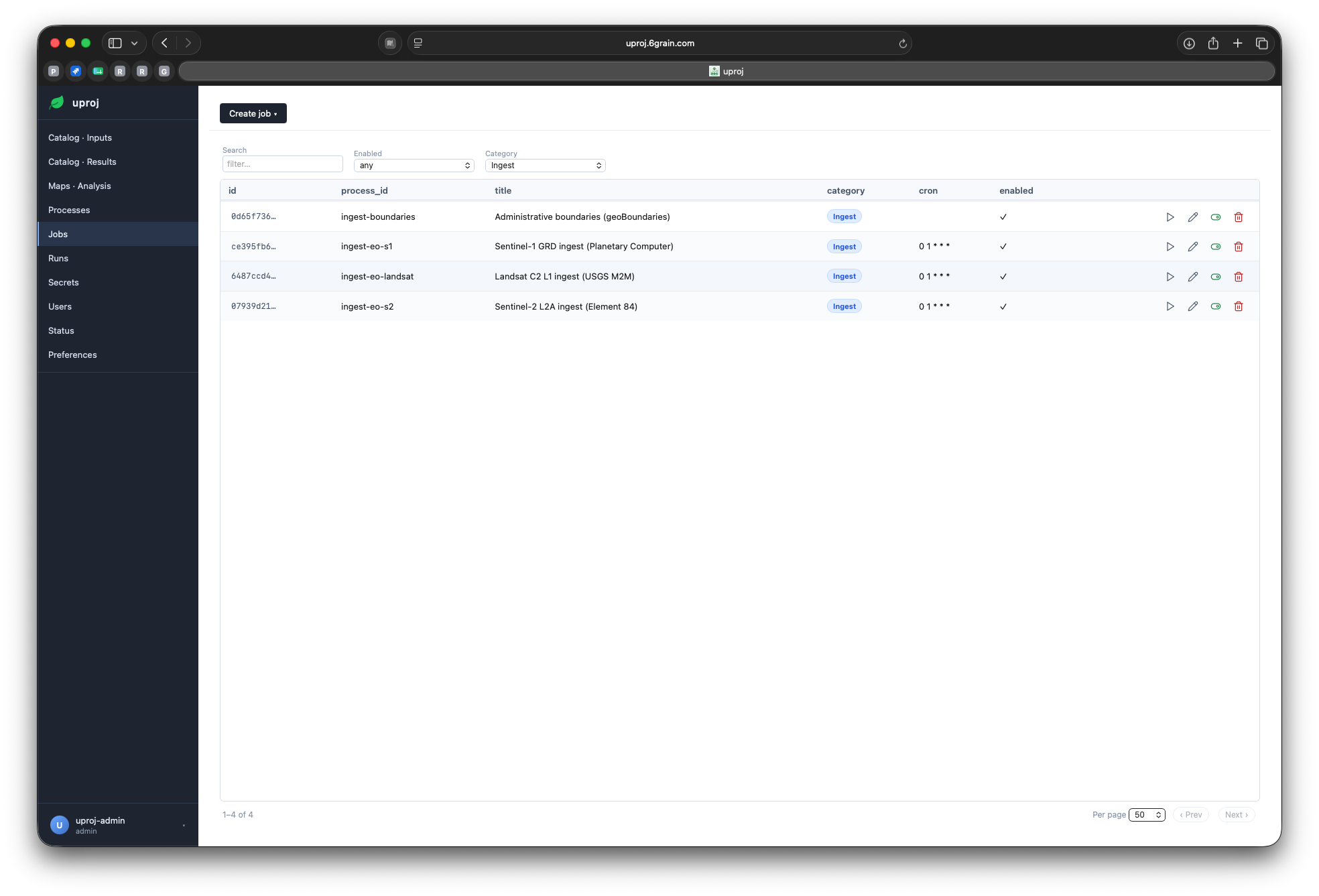
Jobs — saved configs + schedule
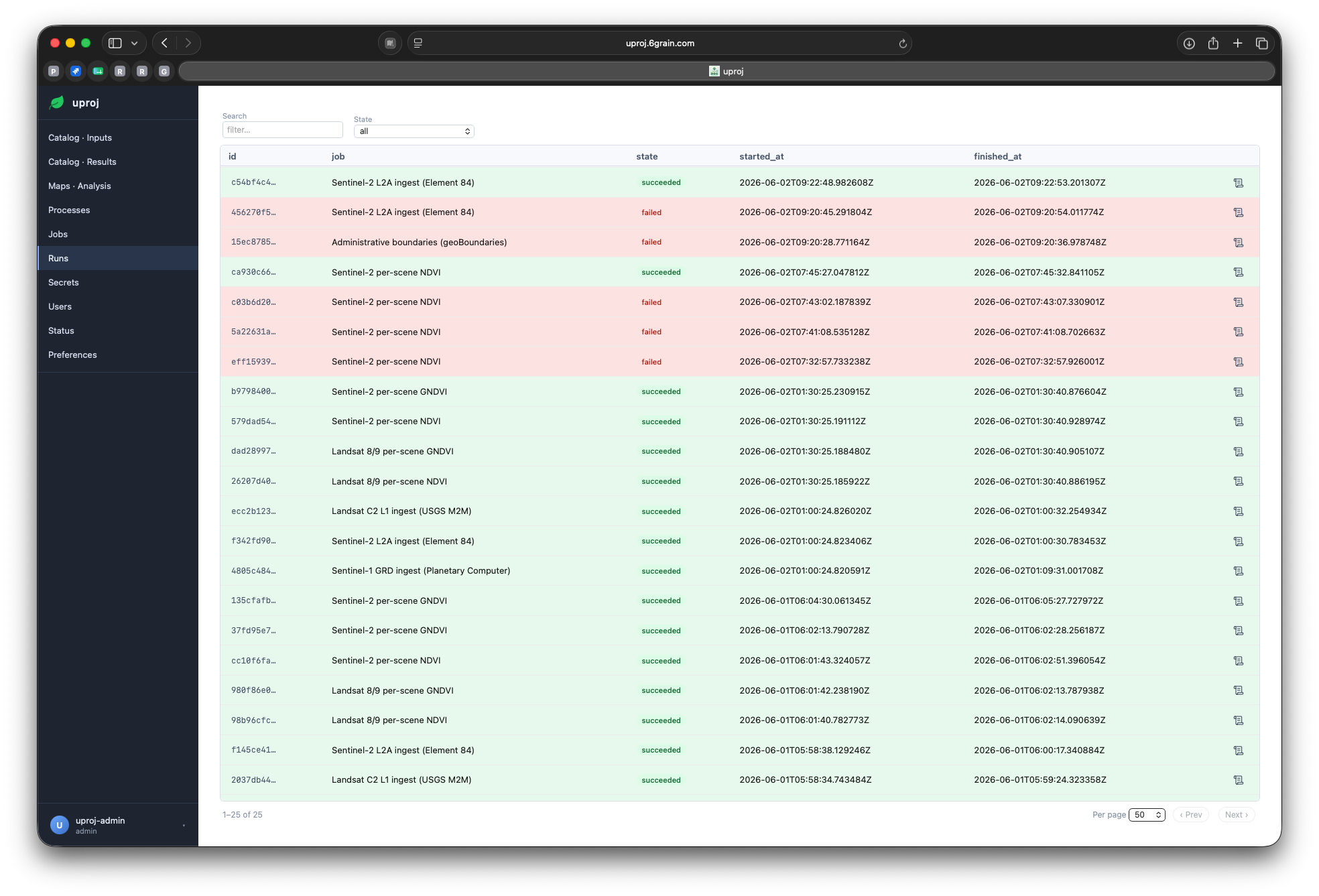
Runs — every execution tracked
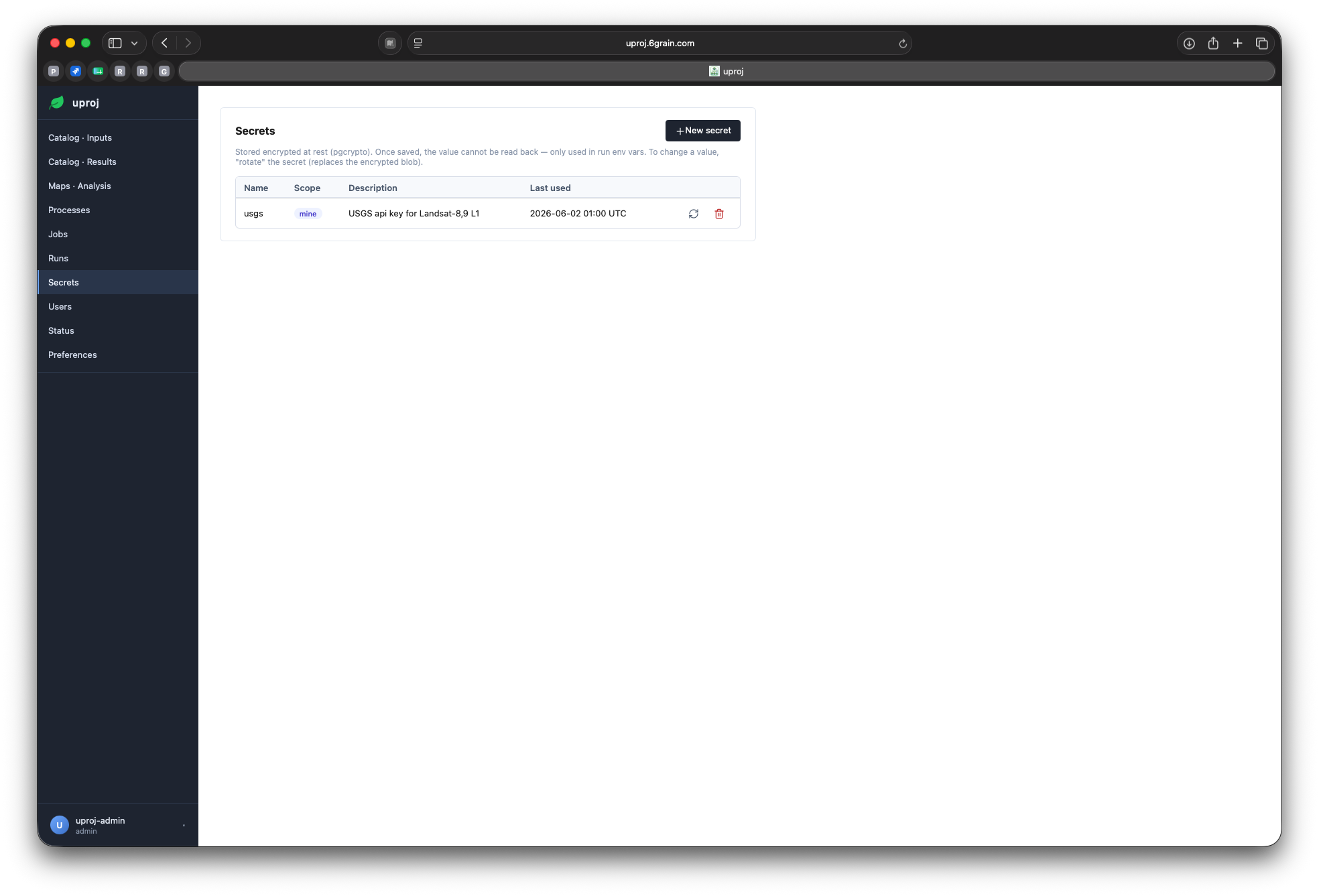
Secrets — encrypted, per-owner
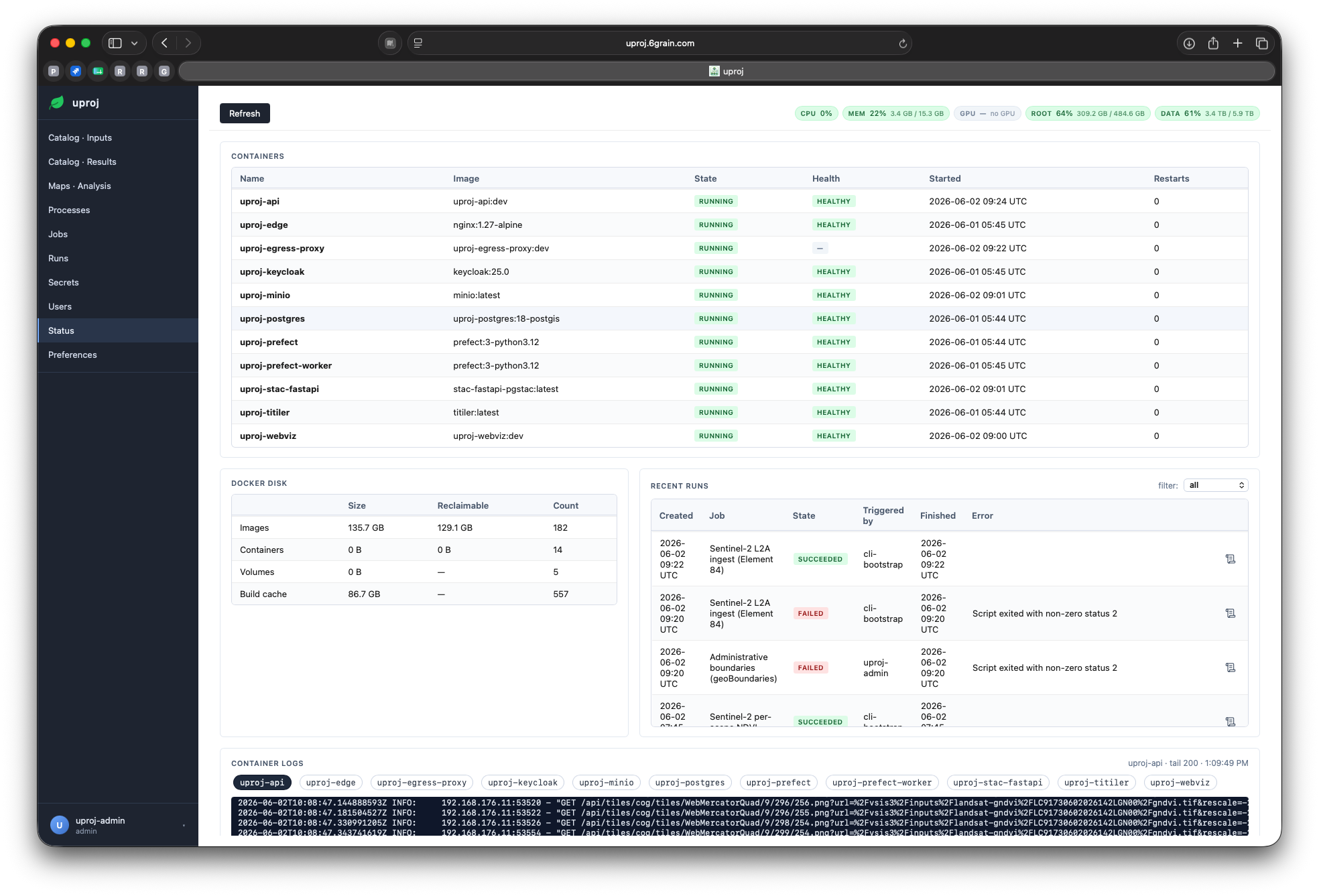
Operations dashboard
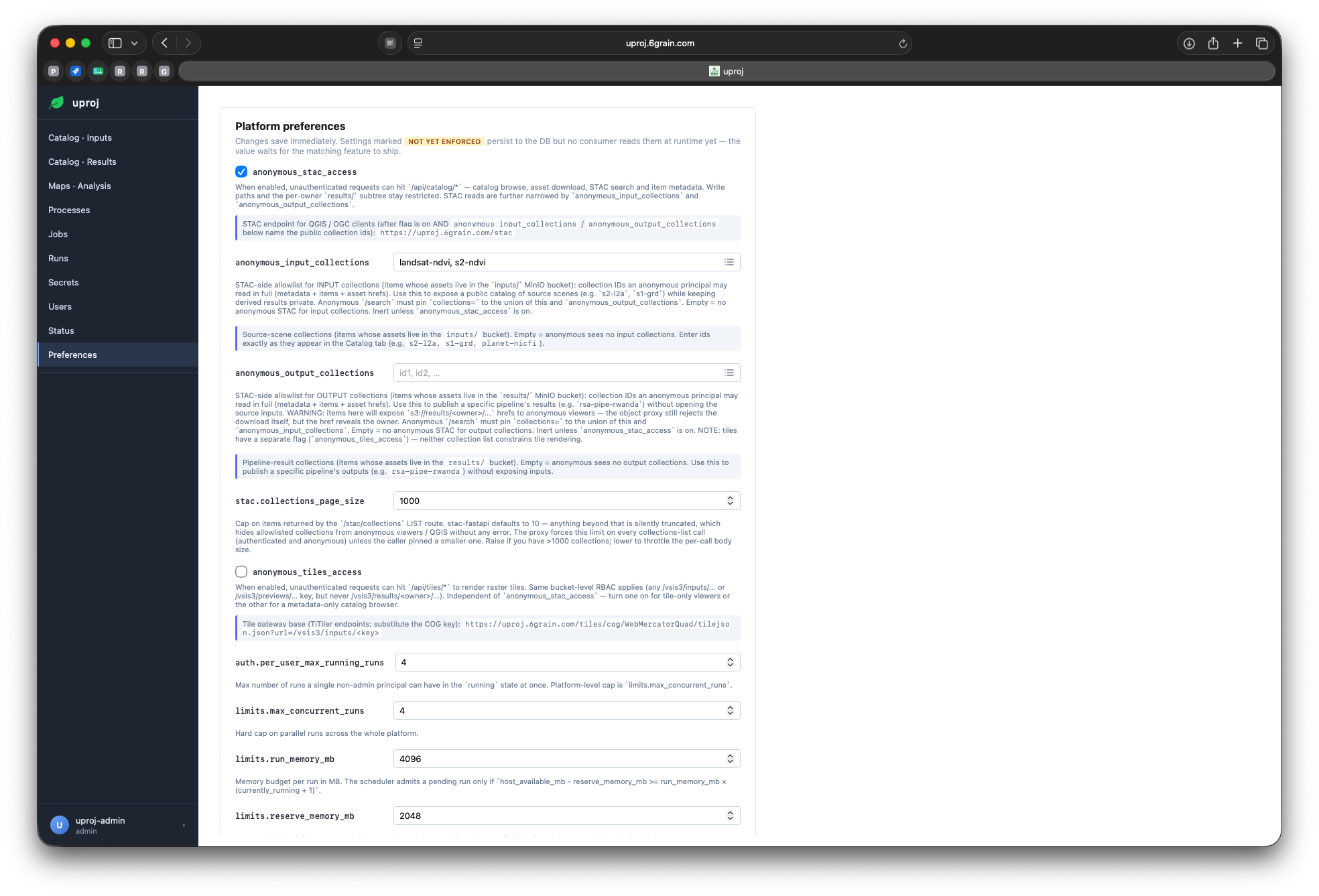
Settings — live, no restart
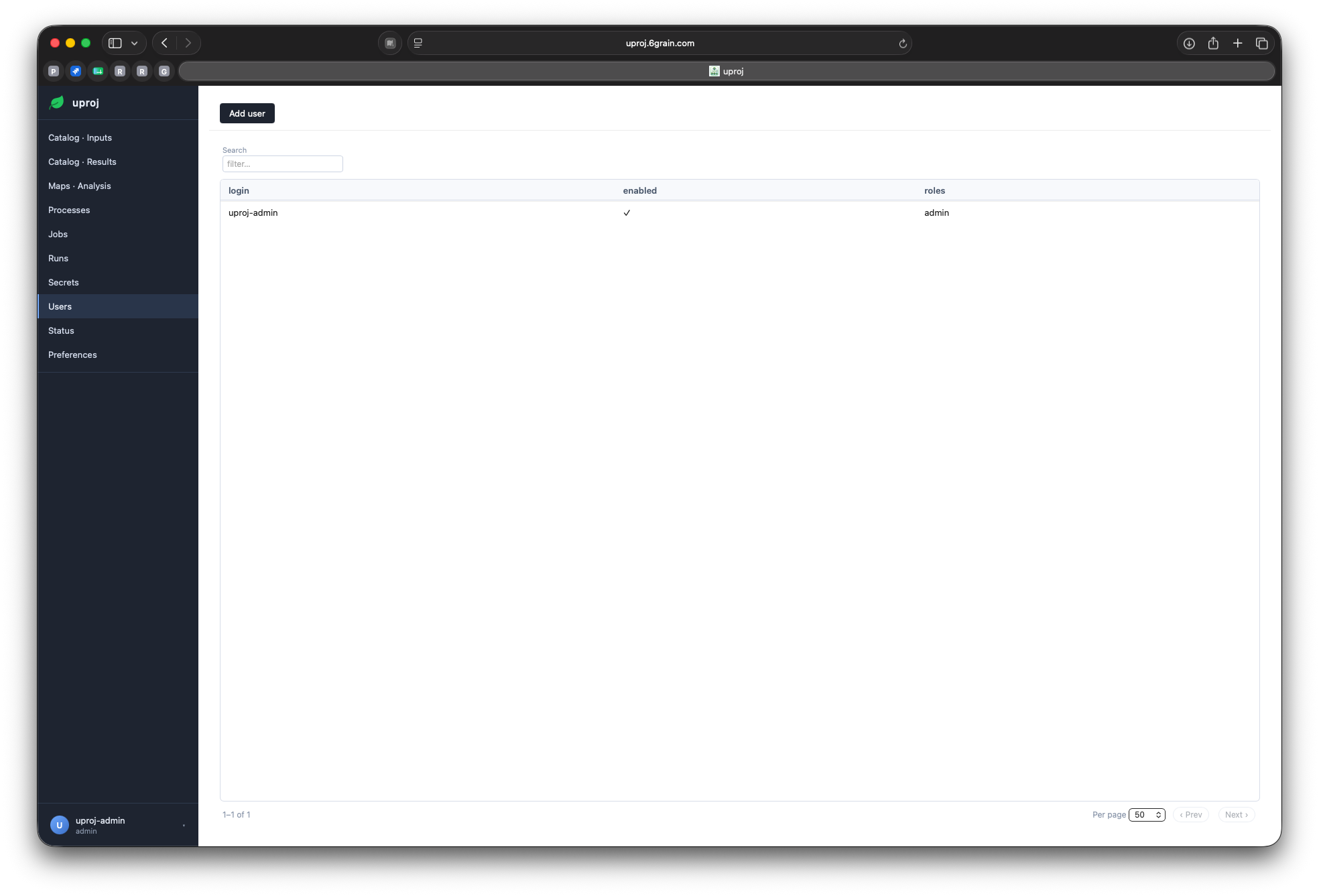
Users & access
Operations & trust
Security in layers
Sandboxed runs
Locked-down containers — no privileges, capped, time-limited.
Scoped storage
Each run reaches only its own data, nothing else.
Network isolation
Runs can't touch the database or auth; egress is optional & allow-listed.
Identity & RBAC
OIDC sign-in, API tokens, admin vs user — real access control.
Share deliberately, by default private
Owner-scoped
A process is visible to its owner and to admins — nothing is exposed by accident.
Opt-in sharing
Flip one flag to share a process with the rest of your team.
Public links, fail-closed
Expose a result or its map tiles by anonymous link only via an explicit allow-list — off until you turn it on.
Every wider audience is a deliberate choice, never the default.
Operate with confidence
Observability
Structured logs, per-run stats, an operator dashboard.
Backups
One-command database dump and a storage inventory.
Install & update
Install and update are each a single command — no manual steps.
Why uproj
Not a notebook. Not a cloud bill.
vs. notebooks
Repeatable, scheduled, catalogued, multi-user — not a one-off script.
vs. cloud SaaS
On-prem and sovereign — no per-scene egress fees, your hardware.
Extensible
Any new source or analytic is just code — Python, R or Java, one simple contract.
Where it goes next
Tighter egress
Per-process declared egress allow-lists.
Observability stack
Optional metrics + dashboards for larger deployments.
GPU compute
Heavier analytics on accelerated runtimes.
Your data, your servers, your analysts — in production next week.
6Grain · uproj.6grain.com